Being busy all the time isn’t the same as making progress
Busy all day.
So what did you finish?
Measure how many things your team has in progress and find the limit that gets the most done. Start with a one-minute game about an office fly with a real brain.
Free, no sign-up. Plays on a computer, phone or tablet.
Created by Felipe Fernández
Any day at the office
- Got a minute?
- It’s urgent
- Any update on mine?
- I need this today
- One quick thing
- Did you see it?
- This is urgent too
- What about yesterday’s?
- Did you get my email?
- I need it now
- I added you to a meeting
- Quick question
- Can you help me with this?
- Can you look at it now?
Everything urgent, everything started. Sound familiar?
The game shows what that costs the fly, in one minute.
What did the fly gain by limiting her WIP?
She finishes more, and each task is done sooner.
with 2 tasks at once
18 finished per day, 1 h each
with 9 tasks at once
9 finished per day, almost 9 h each
Work moves forward instead of waiting.
with 2 tasks at once
each task moves forward almost half the time
with 9 tasks at once
each task waits 9 out of every 10 minutes
Less overload.
with 2 tasks at once
she ends the day Calm, without smoking
with 9 tasks at once
she ends the day Overwhelmed, with 13 cigarettes
In the game, average of 200 days played.
According to DORA, limiting work in progress is a habit of high-performing teams. Your team’s own test will show how much it gains.
What your team takes away
-
Their load in plain sight, how many things each person has started.
-
Where the work sits waiting.
-
An agreed limit, written on the board.
-
Their own data after two weeks.
How to choose the limit and test it is in the WIP limit guide.
What you’ll see
The same fly, the same day at the office, twice. In the game, with 2 tasks at once she finishes 18. With 9 she finishes half as many, even though she’s busy all day.
2 at once
18 finished
9 at once
9 finished (half)
Average of 200 days in the game.
How to play
-
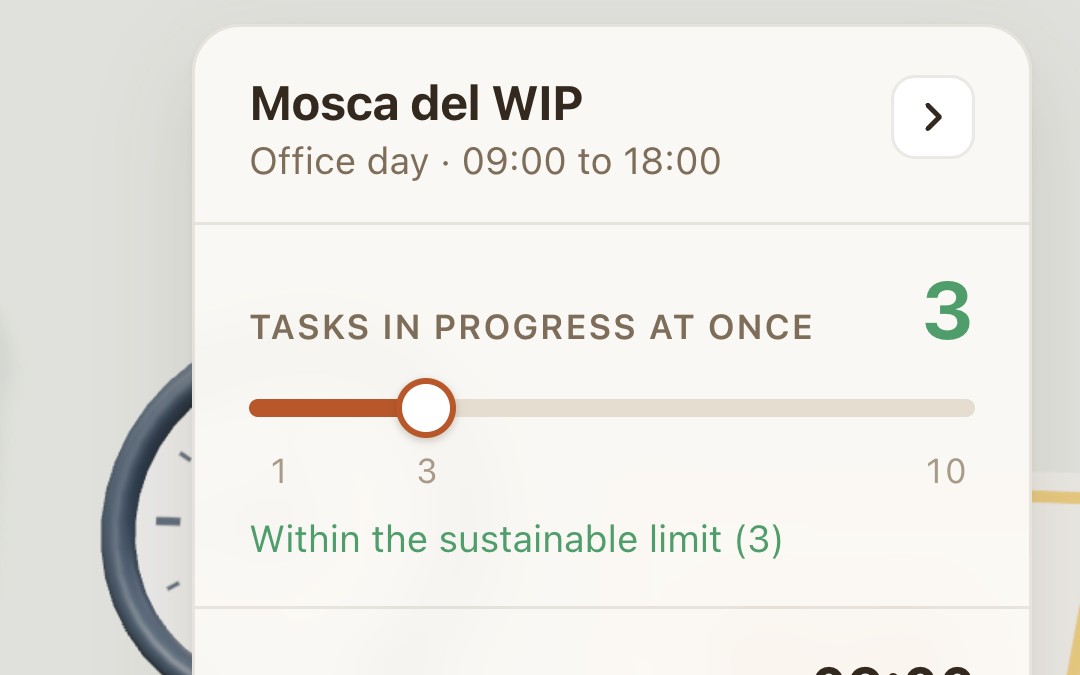
You choose how many tasks she can have started at once, from 1 to 10. That’s called a work-in-progress (WIP) limit.
-
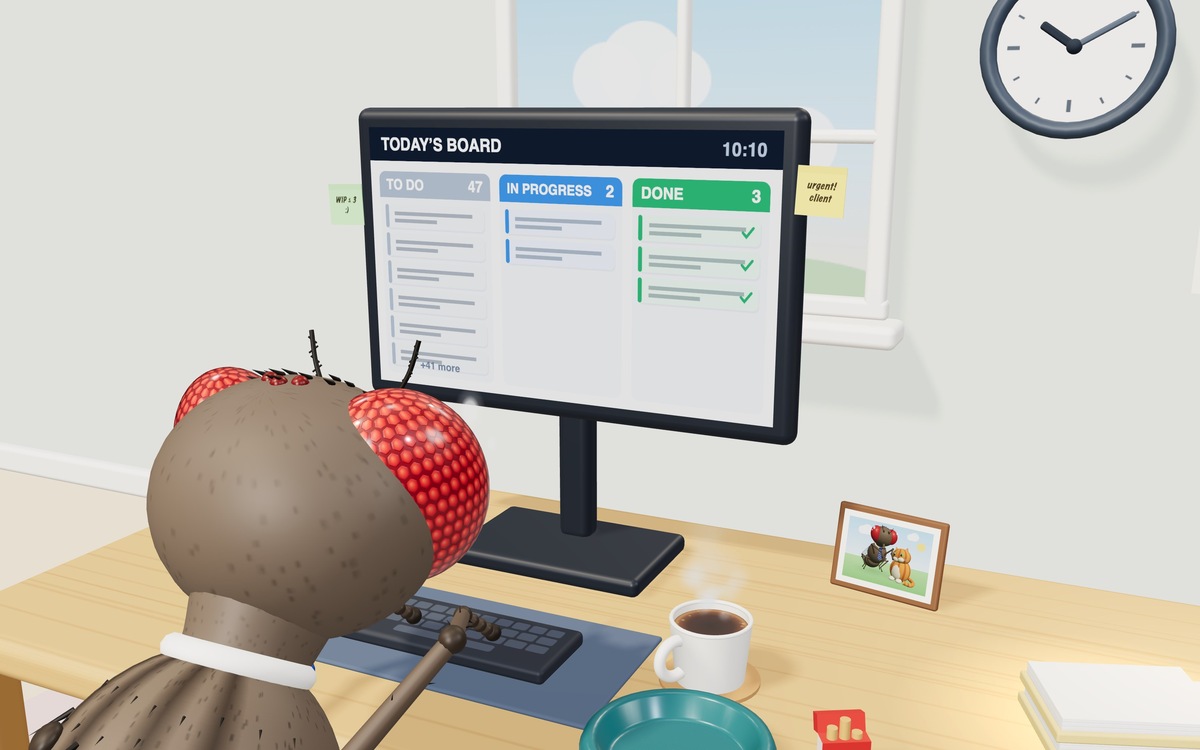
You watch her day at the office, from 9 to 6, in one minute.
-
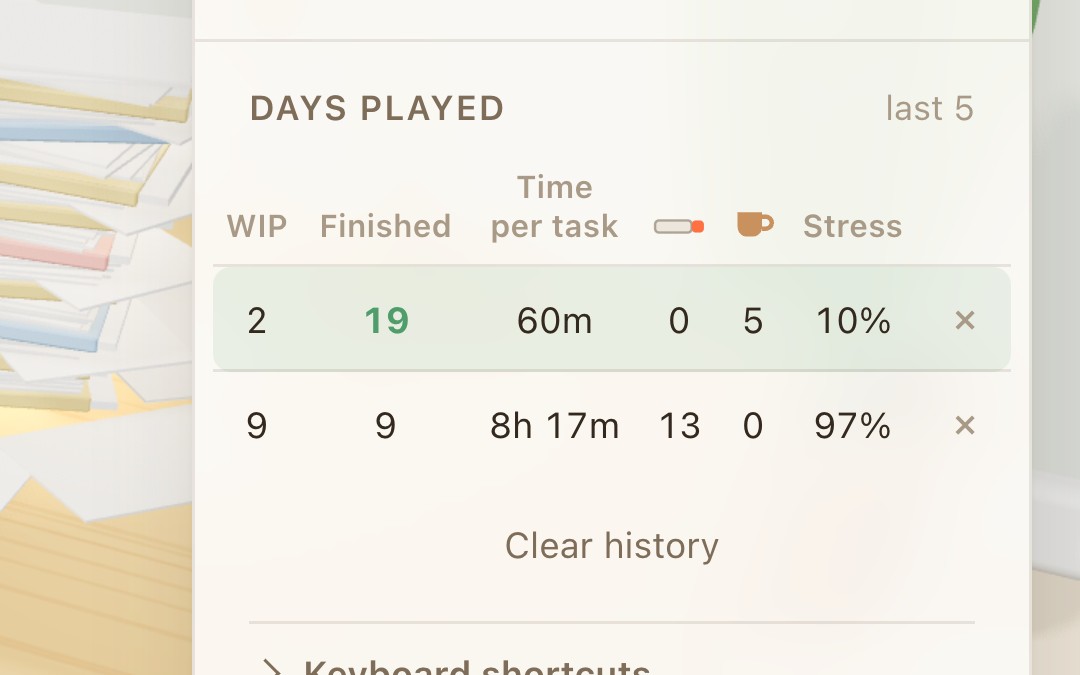
You compare how much she finished, how long each task took and how many times she went out for a smoke.
The kit for your team
Three pieces, from 1 minute to 60. Free.
-
1 minute
The game
Play it online on any device, and watch a fly at work.
-
2 to 10 minutes
The report
Read the executive summary on the web. The full report, with every number, its sources and the studies, is a PDF download.
-
60 minutes
The workshop
Slides, a quick guide and the team sheet to print, so your team finds its limit and tries it for 2 weeks.
See the workshopFor now, the workshop is in Spanish.
Use it and adapt it, also in paid workshops, crediting the author.
Why a fly?
Mosca means fly in Spanish.
-
Scientists mapped a fly’s central nervous system. The neurons that light up in the game come from that map.
Janelia, Cambridge and Google, among others
166,700 neurons and their connections, in 66 slices
Real neurons from a fly. The more tasks she has on her plate, the more her brain lights up.
Within the sustainable limit (3)
- neurons firing in the simulation
- 423
- finished per day
- 18.0
- stress at the end of the day
- Calm
- cigarettes
- 0
Average of 200 days played. These are numbers from the game, not from people.
Brain colors
- Vision
- Central brain
- Memory
- Command
- Movement
- At rest
-
We gave her an office job. Yes, we put her to work.

No fly was harmed or made to do any real work. Except the one in the map, whose nervous system was taken out and cut into 66 slices.
The map is Male CNS v1.0. “This project is a collaboration between FlyEM (HHMI Janelia), the University of Cambridge (Dept. of Zoology), the MRC Laboratory of Molecular Biology, and Google Research.”
Data licensed under CC BY 4.0, adapted for the game. Only some of the neurons are shown, and the activity you see is simulated.
What it is and what it isn’t
It’s a game and a computer experiment, with rules based on studies. It doesn’t measure people or teams. Your number is yours to measure.
The report explains where each number comes from and gives four steps to try a limit with your team. It takes 10 minutes to read and comes as a PDF. Its summary is on the web and takes 2 minutes.
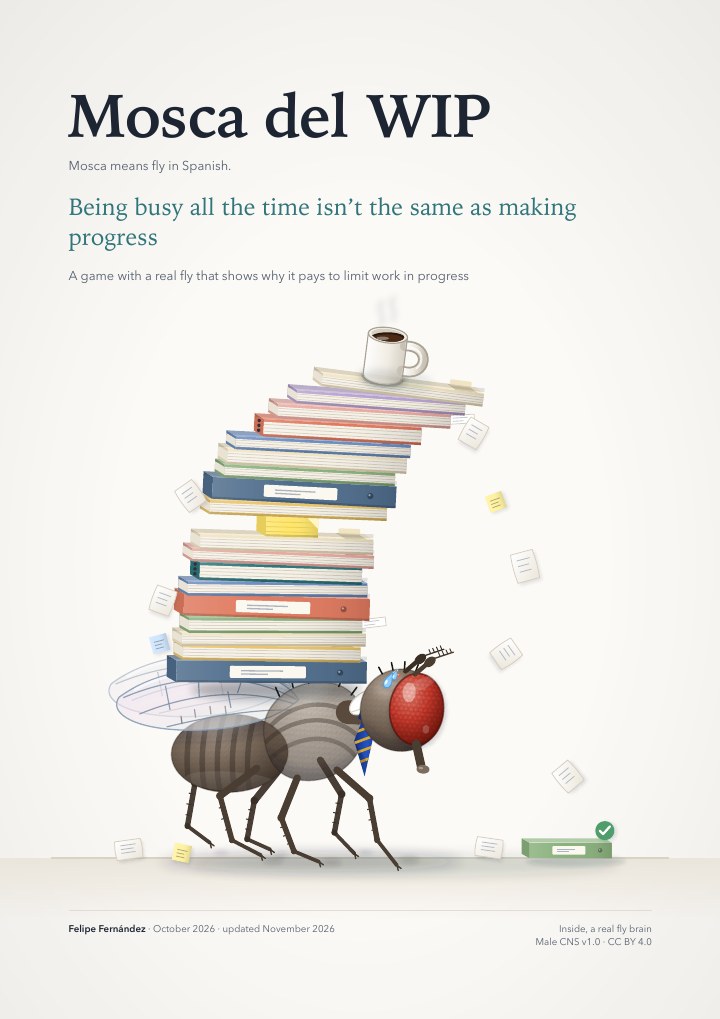
The report is 18 pages, 3 MB.
Why I made it
I work with teams and I see the same thing over and over. They commit without knowing how much load they carry. They don’t know where to start or what’s really urgent, because everything is urgent and a priority. You feel you work all day and get nowhere, and the list of pending work keeps getting longer.
It happens to me too, in my own job. I wanted to show it in one minute, by playing, before debating it.
FAQ
What is Mosca del WIP?
It’s a one-minute game that is also a computer experiment. You’re the boss of an office fly. You decide how many tasks she has started at once and watch how many she finishes, how long each one takes and how stressed she is at the end of the day. The rules are inspired by studies with real people, and the neurons that light up come from a real fly. It shows you, simply, what it costs to have everything started.
What does WIP mean?
It’s short for work in progress. It’s everything you’ve started and haven’t finished yet. In the game, it’s the tasks the fly has open at the same time.
How many tasks at once is best?
There’s no number for everyone. In the game, the fly finishes the most with 2 and her sustainable limit is 3, because up to 3 she stays Calm. With more, her stress goes up, and with 9 she ends the day Overwhelmed. But the fly works alone, and the game doesn’t tell you your team’s number. It depends on how much your work waits, and you find it by trying a limit. How to do it is in the guide What a WIP limit is and how to find your team’s.
What does my team take away?
A limit helps you finish more, keeps work moving instead of waiting, and means less overload. Your team leaves with its load in plain sight, a clear view of where the work sits waiting, an agreed limit and its own data after two weeks. Your team’s own test will show how much it gains.
Is the brain from a real fly?
The neurons and their connections are. They come from Male CNS v1.0, the map of a male fly’s central nervous system, neuron by neuron, licensed under CC BY 4.0. The activity you see is simulated. We translate the tasks into something a fly can feel, like dust on her antenna, and simulate how her brain responds. Only some of her neurons are shown.
Are the numbers about people?
No. They come from the game, a computer experiment with a single fly, and each one is the average of 200 days played. That each task takes longer and fewer get finished is backed by evidence. That stress goes up is our own assumption. The report says where each number comes from.
Why does the fly smoke?
Flies don’t smoke. The cigarette is a disguise for something they really do, cleaning their antennae. The tasks reach her as dust on her antenna, which lights up the cleaning circuit in her brain, and the game draws that as going out for a smoke. The game decides how many cigarettes she smokes. When she’s Calm she never smokes, and each break is 8 minutes without working.
Can I play on my phone?
Yes. It plays on a computer, phone or tablet. On a phone the office is at the top and the controls at the bottom, with tabs for the brain and the days played. You can also play with the phone turned sideways.
Does it cost anything? Do you store my data?
It’s free and needs no sign-up. We don’t use cookies and only count visits, without identifying anyone. Your days played and what you choose, like the language, are saved only in your browser.
How do I use it with my team?
Play one day with 2 tasks at once and another with 9, and compare the Days played table. On a computer, the Exhibition view shows the game large, for a TV or a projector. The kit on this page has the report, with four steps to try a limit, and a 60-minute workshop with its guide to facilitate it.
Can I use the workshop with my team, or in paid workshops?
Yes. The workshop (the quick guide, the slides and the team sheet) is licensed CC BY 4.0. You can use it and adapt it, also in paid workshops, crediting Felipe Fernández (mosca.deliverycraft.ai). For now it’s in Spanish. The report can be shared as it is, crediting the author, and the game is played on this page.
Do I need to know about WIP to facilitate it?
No. For each part, the quick guide has the minutes, one or two tips and the question for the room, plus the answers to what you’ll be asked. Read it once and, before the session, play the two days you’ll show, one with 9 tasks at once and one with 2.
What about urgent tasks?
The game has a Send an urgent task button. The urgent task jumps over the limit, one at a time. In the simulation, with limit 2, each one cost one regular task. The gist is in the summary, and the numbers are on page 11 of the report.
A sustainable limit, not one thing at a time.